

If you use Windows 11 for daily work, research, or multitasking, you have likely run into the biggest limitation of the built-in Microsoft Sticky Notes: they constantly get buried behind your active browser, Word document, or code editor.
Every time you click away, your notes vanish beneath your open windows. You are forced to press `Alt + Tab` or click the taskbar icon, breaking your concentration and flow state.
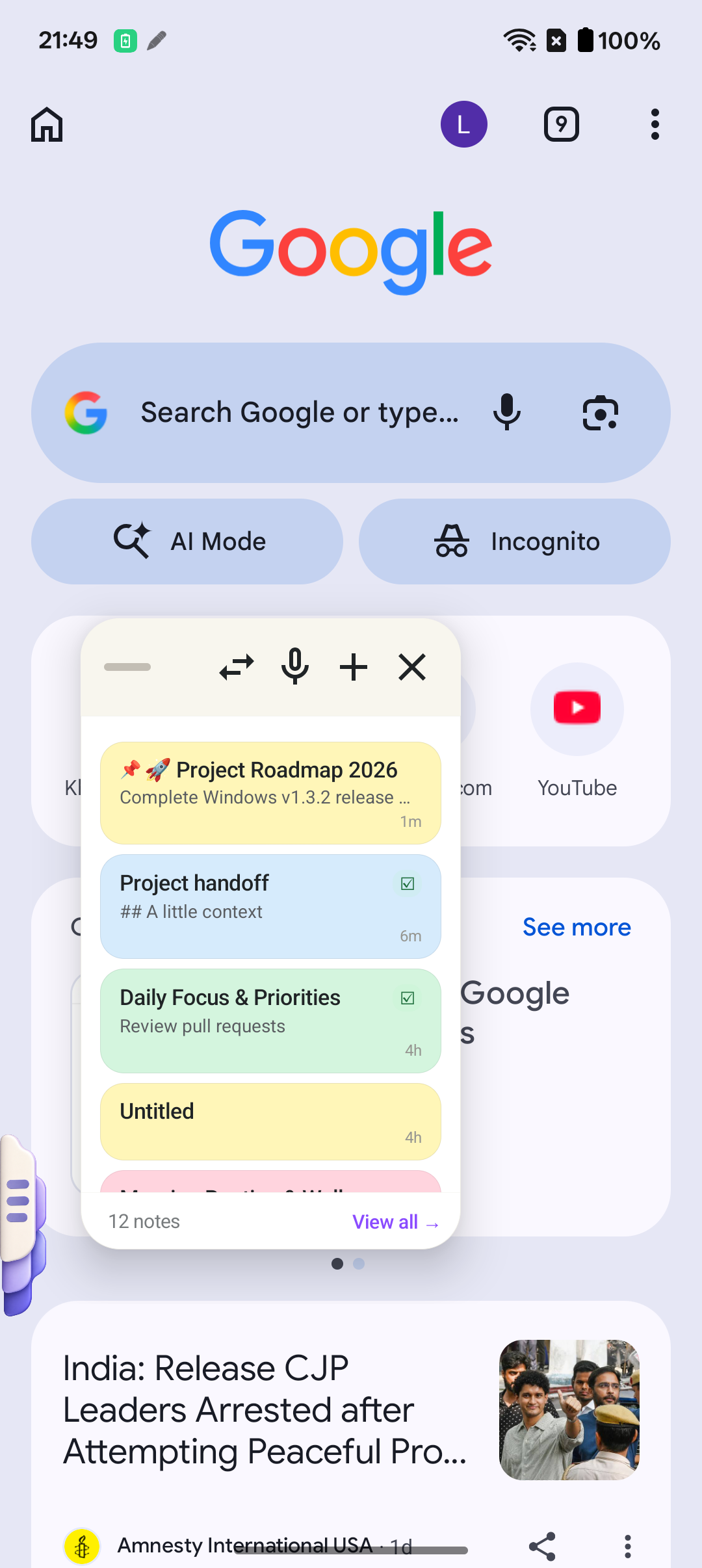
In this guide, we explore why SideNote has emerged as the best sticky notes app for Windows 11 and Android, offering true always-on-top floating overlays, an instant screen-edge drawer, and 100% private local Wi-Fi pairing.
Why Built-in Windows Sticky Notes Fall Short
While Microsoft Sticky Notes has been a familiar tool since Windows 7, modern workflows demand more than static desktop widgets:
| Feature | Microsoft Sticky Notes | Traditional Notepad | SideNote | |---|---|---|---| | Always-on-Top Mode | ❌ Gets buried under windows | ❌ No | ✅ Pin anywhere over any app | | Edge-Swipe Quick Drawer | ❌ No | ❌ No | ✅ Instant thumb / cursor peek | | Android Sync | ⚠️ Heavy OneNote app required | ❌ None | ✅ Instant 0.1s Local Wi-Fi Sync | | Privacy / Cloud Dependency | ☁️ Requires Microsoft Cloud | 📁 Local text only | 🔒 100% Local encrypted storage | | Color Palettes | 🟡 Standard basic colors | ⚪ None | 🎨 6 Soothing Pastel Palettes | | Voice Memos | ❌ No | ❌ No | ✅ Instant Speech-to-Text notes |
The 3 Game-Changing Features of SideNote for Windows 11
1. True Always-On-Top Floating Notes
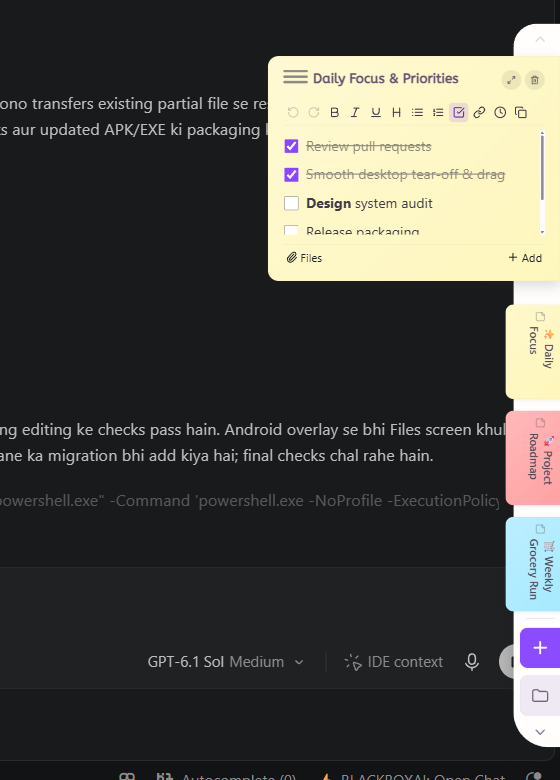
SideNote allows you to "tear off" any sticky note and position it anywhere on your desktop or multi-monitor setup. Whether you are in a Zoom conference, writing code in VS Code, or monitoring financial charts, your reference numbers and checklist stay pinned directly in sight.
You can resize notes, adjust opacity, and minimize them into subtle floating badges when you need full-screen canvas space.
2. Zero-Click Screen Edge Hover & Peek
When you don't want floating cards occupying screen real estate, SideNote's ambient edge dock sits quietly at the edge of your screen.
Moving your cursor to the edge instantly expands your note library. You can review your daily to-do list, check off completed tasks, and move the mouse away to let the dock slide back into invisibility.

3. Local Peer-to-Peer Wi-Fi Sync with Android
Most modern note apps force you to create a cloud account, upload your sensitive thoughts to remote servers, and pay ongoing cloud fees.
SideNote takes a fundamentally different, privacy-first approach:
- Notes synchronize directly over your local home or office Wi-Fi network.
- Speed is virtually instantaneous (0.1s latency).
- Zero third-party telemetry, zero cloud data leaks, and zero mandatory account sign-ups.
How to Get Started with SideNote Today
SideNote is officially released and free to start across both desktop and mobile:
1. Android Phone or Tablet: Download SideNote directly from the Google Play Store. 2. Windows 10 / 11 PC: Download the verified SideNote Windows Installer with an included 7-day Pro free trial (no credit card required).
Keep your thoughts right beside you, and say goodbye to lost notes and Alt-Tab context switching.